If a new phone left you without the Binance authenticator code, follow the reset route, know when to contact support, and expect a withdrawal pause.
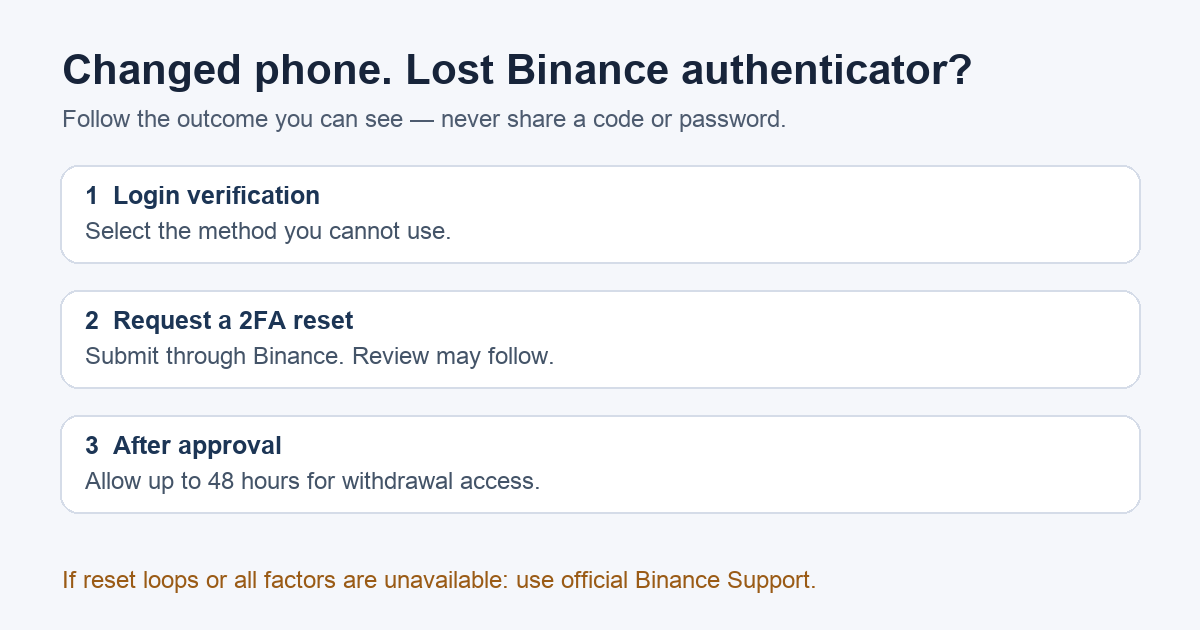
A Binance user described returning to an old account after changing phones: the password worked, but the authenticator code was gone. Even Security verification unavailable? seemed to send them back to the code screen. If that sounds familiar, the next move is Binance's 2FA reset route for Binance.com accounts. Binance.US has a separate support flow. Do not give a code, password, or ID to someone who contacts you in a forum or direct message.
Where should I start if the old authenticator is gone?
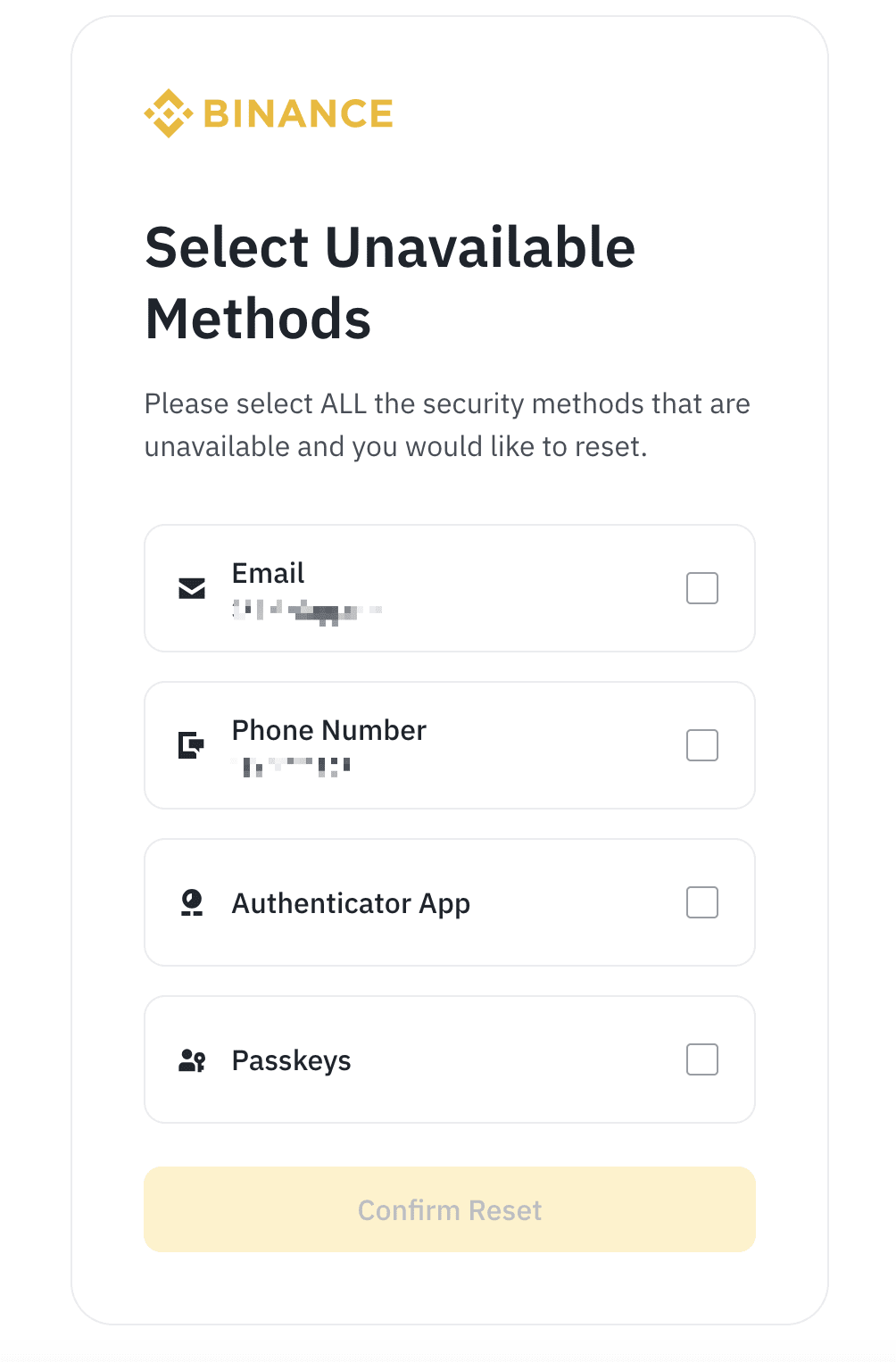
Start at Binance.com through a bookmark or a URL you type yourself. Its current reset guide starts with Log In: enter your account email or phone number, then your password. If a passkey prompt appears first and that passkey is also unavailable, Binance documents Cancel → My Passkeys Are Not Available. On the security verification screen, select the method you cannot use; Binance's reset route is reached through Security verification unavailable? on the verification prompt. Select every lost 2FA method on the reset page, rather than only the authenticator if you have also lost the old phone number or email.
That is a request to change security methods, not an instant account unlock. Binance may still require verification through another method you can use and may ask for a new phone number or email. The screen confirming submission means the request has been sent, not that access is already restored.
What if the reset link loops back to the code box?
The user report describes this exact loop, but it does not establish a universal fix. First check whether you selected the unavailable method at the Security Verification Requirements screen, rather than trying to enter a nonexistent code. If the same loop persists, open Binance's official support chat as a visitor; the support reply in that thread directed the user there. The reset guide also directs people who cannot complete password recovery because every 2FA method is inaccessible to customer support. Repeatedly guessing codes will not replace the ownership check.
Why can I log in but still not withdraw?
A successful 2FA reset can still leave withdrawals, P2P selling, internal transfers, and payment services disabled for up to 48 hours under Binance's current policy. That pause is a security restriction after reset, not evidence that the reset failed. If the request says Under Review, Binance says the review may take up to 24 hours; Application Denied means you should recheck which verification methods remain available and retry through the official flow.
The practical sequence is: identify exactly which factors you lost, submit the reset through Binance itself, watch the request status, then allow for the post-reset restriction. Use only Binance's own site or app for account recovery.
Official sources
Product interfaces and recovery policies can change. Confirm the current steps before acting.